Google Classroom
What is Google Classroom?
Google Classroom is an online learning environment. It allows teachers to set assignments and homework for pupils, grade work, provide feedback and more.

Accessing Google Classroom
You can access Google Classroom through your Glow account by clicking on the tile. Alternatively, you can download the Google Classroom app on your phone.
Remember your Google login is the start of your Glow login CL***** followed by @cl.glow.scot
Click the button opposite to view a video showing how to access Google Classroom.
Alternatively, a paper copy is below.

|
Guide to Google Classroom | [pdf 353KB] |

|
Clackmannanshire Council - Education Parent and Carer Chromebook Agreement
Parents are asked to complete and submit the relevant form below so that your child can receive a Chromebook as part of Education Services 121 Device Project.
A Chromebook is a small laptop style device which runs Chrome OS and will help support learning and teaching using digital tools such as Google Workspace for Education ie. Google Docs, Google Classroom and Microsoft Office 365.
Pupils and parents/carers must agree with all of the terms and conditions outlined below.
S1: https://forms.gle/TFpkA5WfPBMADbus9
S2: https://forms.gle/haZdmsqYdjRha2GaA
S3: https://forms.gle/VmotmJa7qH1G9Ayh9
Google for Education Apps

|
|
Google G-suite Guide (1) | [pdf 346KB] |
|
Guardian Summaries
The Guardian Summary feature on Google Classroom allows parents and guardians to check in on their's child's learning and progress each week. An email will be sent to all parents/guardians who accept the initial email inviting you.
The email highlights any work which has been posted by their class teacher and is due that week or any work which is 'missing' - not been returned to their class teacher yet.
If you have not recieved an email invite or you'd like to change the email provided, please get in touch at lornshill@edu.clacks.gov.uk

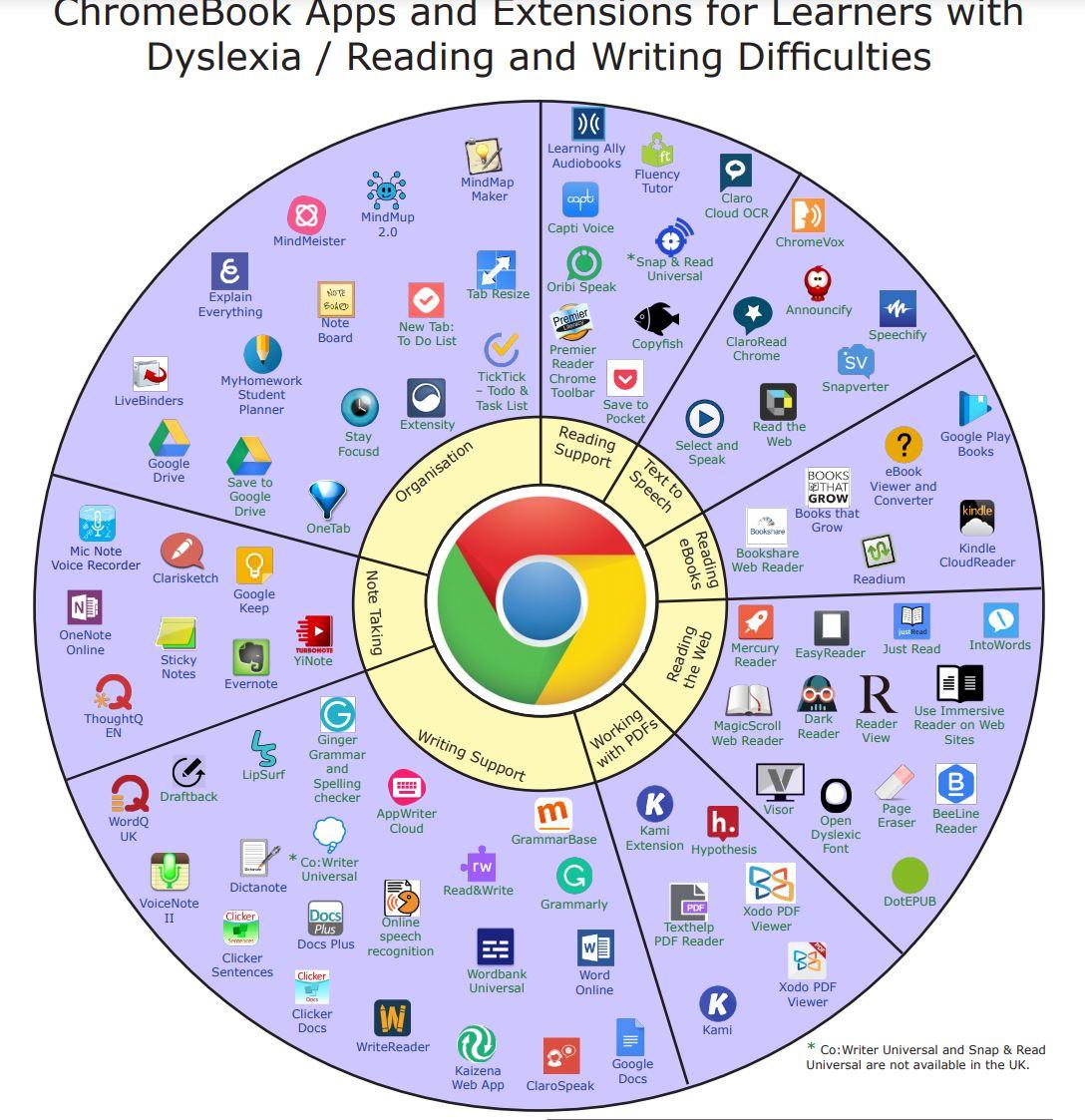
Apps for Dyslexia
Please see the image/PDF document below which suggests some Google apps and extensions which can be downloaded to assist with dyslexia or reading/writing difficulties.
|
|
chromebook-apps-and-extensions-for-learners-with-dyslexia | [pdf 664KB] |
|